


What you need before you start
Before you follow these 3 simple steps to open a Coinsnap account, make sure you have:
- A valid email address
- A Bitcoin wallet (Lightning or on-chain)
- A web browser (desktop or mobile)
That’s all. Now we show you – step by step – what to do:
Step 1: Open the Coinsnap website and start registration
On the Coinsnap website, click Sign In in the main menu at the top of the page.

Here is what you’ll see:
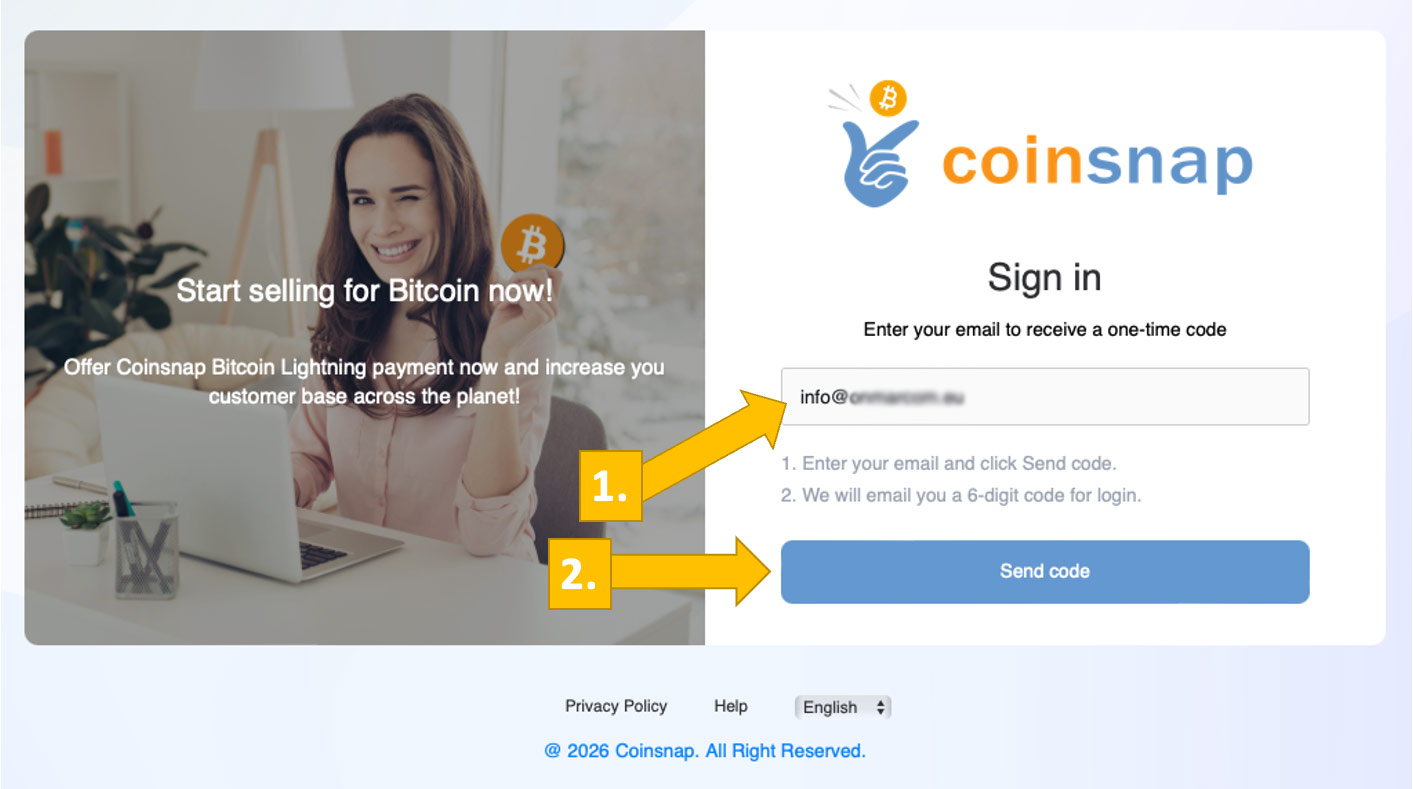
Enter your email [1] and click Send code.
Step 2: Confirm your email address and sign in to the Coinsnap dashboard
- Check your inbox for the code sent by Coinsnap
- Enter the code [1] in the sign-in form, then click Sign in [2].

Your account is now active.
Step 3: Connect your shop and wallet to receive Bitcoin
After entering the code, you will be redirected to your account dashboard. It prompts you to connect your shop and wallet to activate Bitcoin payments.
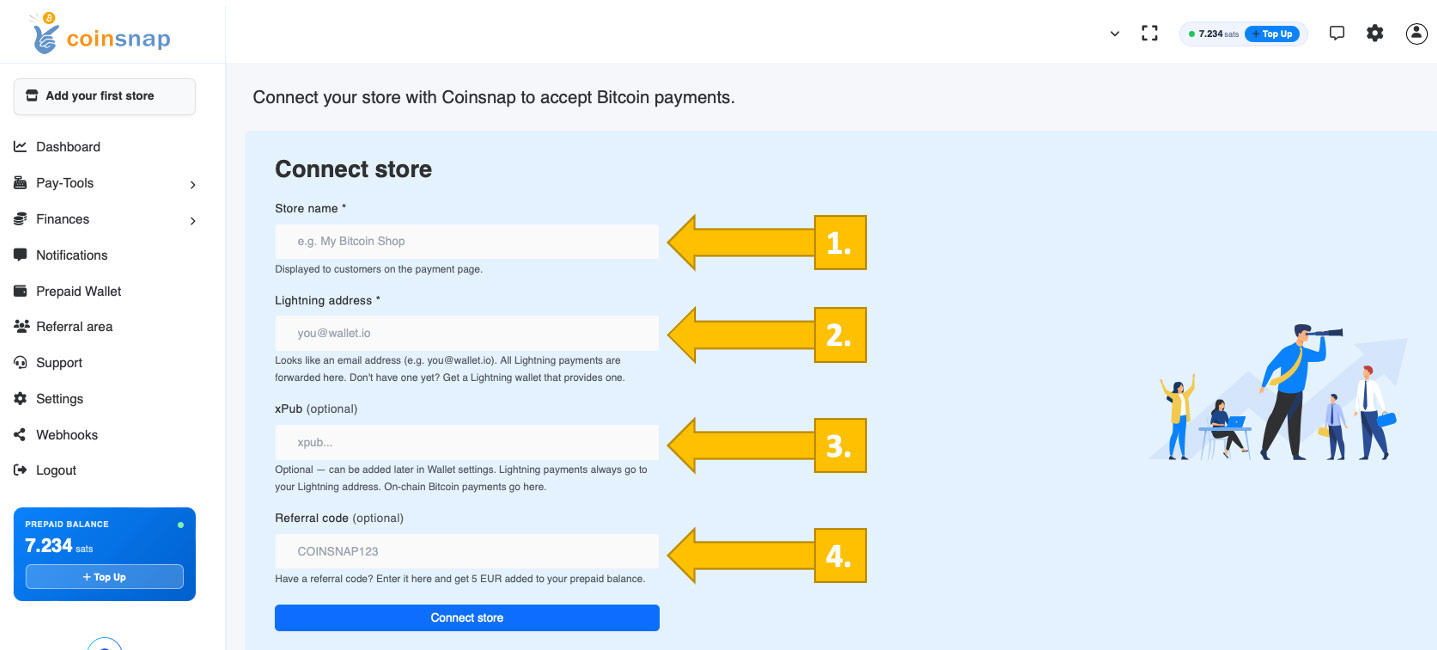
Enter your store name [1] (this will be shown to your customers at checkout).
Enter your Lightning address [2] (e.g. yourname@wallet.com) to receive Bitcoin payments.
(Optional) Enter your xPub key [3] if you want to receive on-chain Bitcoin payments directly to your wallet.
(Optional) Enter a referral code [4] if you have one.
Click Connect store to complete the setup.
Done
Your Coinsnap account is now open and fully functional.