
Offer Bitcoin payment anywhere with the Coinsnap Bitcoin Payment Button
Sell products, merchandise, or services easily for Bitcoin, anywhere on your WordPress website
What is a Bitcoin Payment Button?
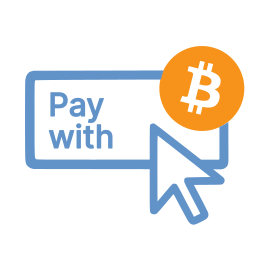 The payment button allows you to sell individual products and services on your website.
You create a description of the product you want to sell on your website.
You add the Coinsnap payment button to this product description.
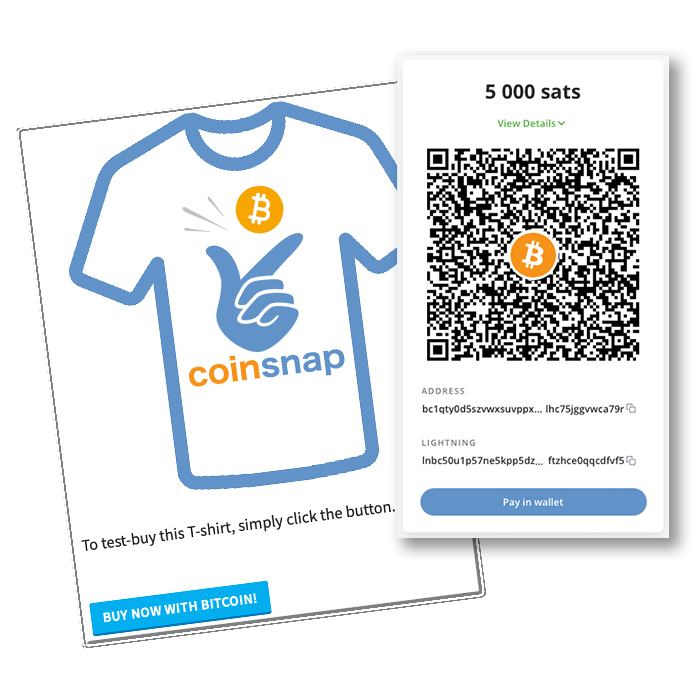
When the payer clicks on the payment button, the QR code is displayed and they can pay with Bitcoin Lightning.
So that you as the payee also know who the payment is from, the payer can enter their email address. You can then send a message or a digital product to this email address.
There is also a message field. Here the payer can enter a message or other information relevant to the purchase.
The payment button is great for websites that want to sell individual products or services and for which a shop software solution is somewhat oversized.
How can I create a payment button?
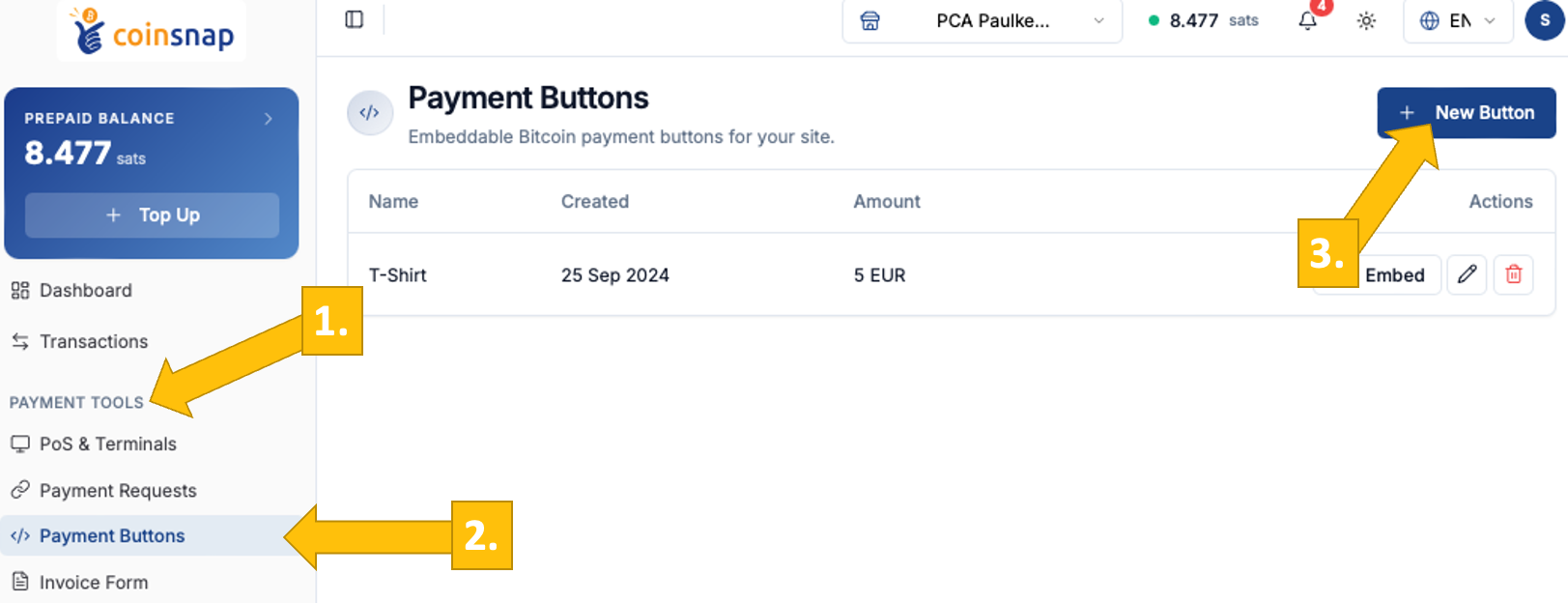
O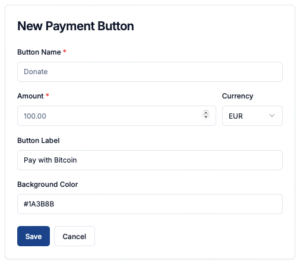 pen your Coinsnap dashboard, navigate to Payment Tools [1] → Payment Buttons [2], and click New Button [3]. You will then be taken to the New Payment Button page, where you can define the basic parameters for your Bitcoin payment button.
Start by entering a Button Name to identify the button internally (e.g. “Donate” or “T-Shirt”). Then set the Amount and select the Currency in which the payment should be displayed. The Button Label defines what your customer will see on the button itself, such as “Pay with Bitcoin.”
Finally, you can customize the appearance by setting a background color that matches your website or brand.
Once all fields are configured, click Save to generate your payment button.
If you are using a CSS theme on your website, these settings will be overwritten by the values of the theme. This ensures that the button matches your website CI.
How to use the Payment button
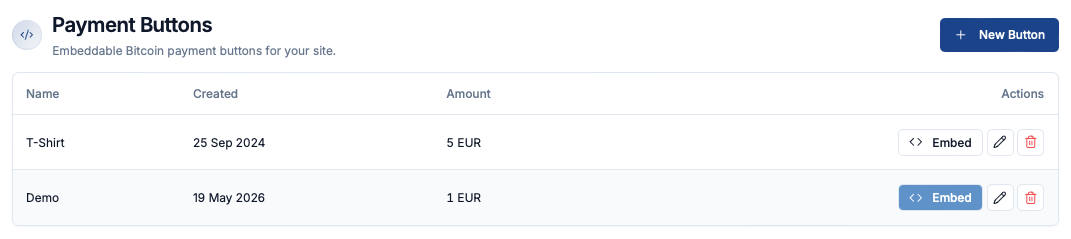
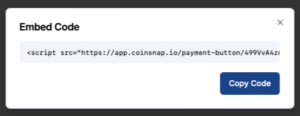 Click the Embed button on the right to open a window with the HTML embed code for your Bitcoin payment button. Click Copy Code and paste the snippet into your website where you want the button to appear.
On your website, the button appears like this and opens a QR code on click, allowing your customers to pay instantly with Bitcoin.
If you would like to integrate such a payment button on your website, open a Coinsnap account now and create your own customised Bitcoin payment button.