
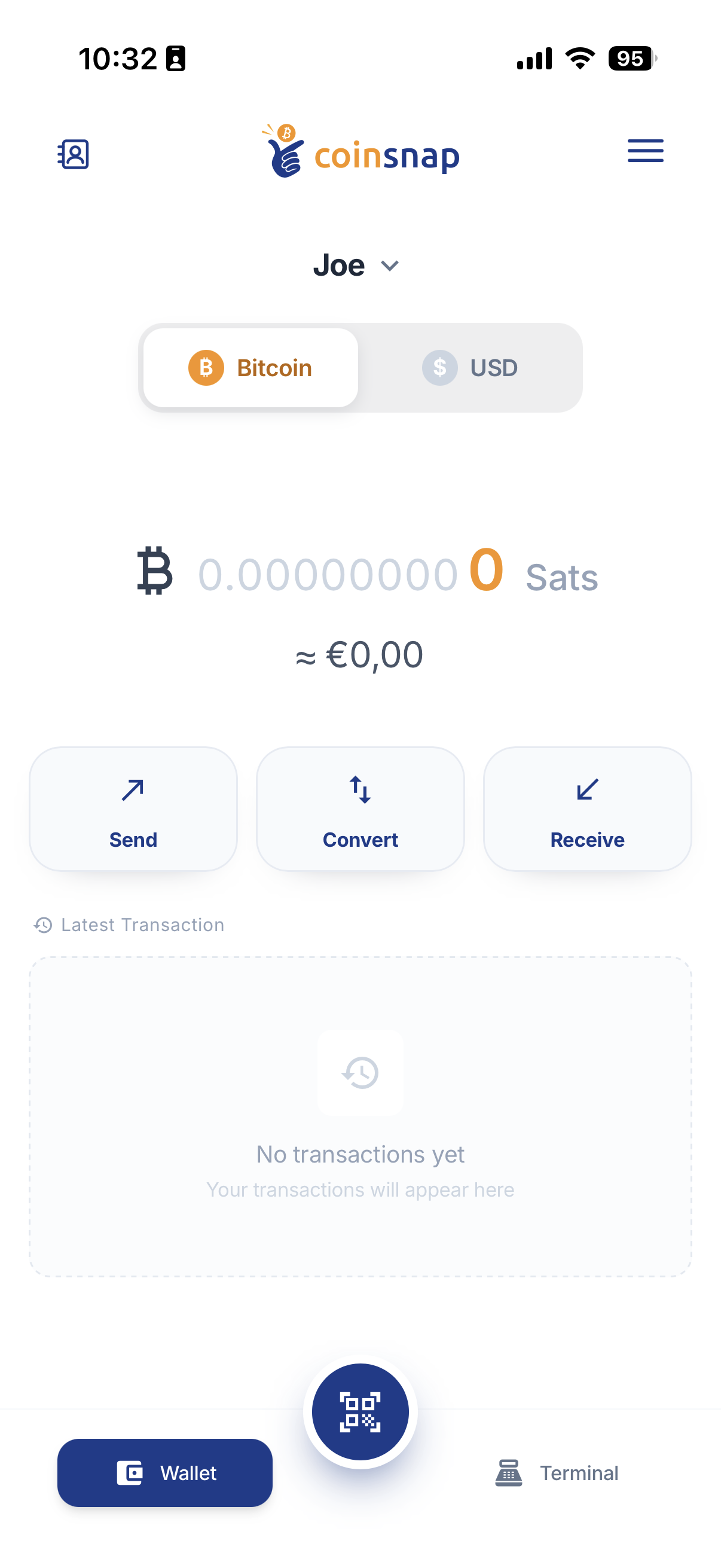
About Coinsnap Wallet
What is Coinsnap Wallet?
Coinsnap Wallet is a self-custodial payment wallet for Bitcoin and Digital Dollars with an integrated Point of Sale.
You can use it to send and receive money, pay with Bitcoin or Digital Dollars, manage multiple wallets and accept customer payments.
Who is Coinsnap Wallet for?
Coinsnap Wallet can be used by anyone who wants to send, receive, hold or pay with Bitcoin and Digital Dollars.
It also includes Point of Sale and merchant features for businesses that want to accept Bitcoin payments in shops, cafes, restaurants, at events or other physical locations.
Is Coinsnap Wallet self-custodial?
Yes. Coinsnap Wallet is self-custodial. The wallet owner controls the funds and the recovery credentials.
Coinsnap does not hold the funds in your wallet.
Do I need a Coinsnap Merchant Account to use Coinsnap Wallet?
No. You can use Coinsnap Wallet as a standalone self-custodial wallet without a Coinsnap Merchant Account.
A Coinsnap Merchant Account is used for additional business and Point of Sale features such as terminal management, reporting, accounting exports and other merchant services.
Do I need special hardware to use Coinsnap Wallet?
No. Coinsnap Wallet works on compatible smartphones and tablets.
The integrated Point of Sale can also turn a smartphone, tablet or compatible POS device into a Bitcoin payment terminal.
Is Coinsnap Wallet available for iPhone and Android?
Yes. Coinsnap Wallet is available for iOS and Android.
Use the official download links provided by Coinsnap to make sure you install the correct app.
Which Coinsnap app should I install?
Install Coinsnap Wallet, the wallet for Bitcoin and Digital Dollars.
Do not confuse Coinsnap Wallet with the similarly named Coinsnap Coin Identifier, which is a different application.
Use the official Apple App Store and Google Play links provided on the Coinsnap website.
Wallets & Lightning Addresses
How many wallets can I create in Coinsnap Wallet?
You can create up to five wallets in Coinsnap Wallet.
Each wallet can have its own name, Lightning Address, Bitcoin balance, Digital Dollar balance and Stable Balance setting.
Can I choose my own wallet names?
Yes. You can choose a name for each wallet.
For example, you could create wallets called Joe, Shop, Savings or Event to organize funds for different purposes.
Do I still need separate Personal and Business Wallets?
No. Personal Wallet and Business Wallet were predefined wallet types used in an earlier version of Coinsnap Wallet. The current Coinsnap Wallet no longer requires these predefined wallet types.
You can create up to five wallets and choose the name and purpose of each wallet yourself.
Can each wallet contain both Bitcoin and Digital Dollars?
Yes. Every wallet can contain both a Bitcoin balance and a Digital Dollar balance.
You do not need to create separate wallets or use separate apps for Bitcoin and Digital Dollars.
Does each wallet have its own Lightning Address?
Yes. Each wallet can have its own Lightning Address.
This allows you to use different Lightning Addresses for different purposes while managing the wallets within the same Coinsnap Wallet app.
What is a Lightning Address?
A Lightning Address is a human-readable address for receiving Bitcoin over the Lightning Network.
It looks similar to an email address, for example: name@coinsnap.app
Can I change my Lightning Address?
Yes. You can manage the Lightning Address of an individual wallet in the wallet settings.
Bitcoin & Digital Dollars
Does Coinsnap Wallet support Bitcoin?
Yes. Coinsnap Wallet allows you to hold, send and receive Bitcoin and make Bitcoin payments.
Supported Bitcoin payment methods include Lightning, Bitcoin on-chain and Spark.
What are Digital Dollars in Coinsnap Wallet?
Digital Dollars are USD-denominated funds that can be held, sent and received with Coinsnap Wallet using supported payment infrastructure and stablecoins.
Your Digital Dollar balance is displayed separately from your Bitcoin balance within the same wallet.
Can I hold Bitcoin and Digital Dollars at the same time?
Yes. A single Coinsnap wallet can hold both Bitcoin and Digital Dollars at the same time.
The two balances are displayed separately within the wallet.
Can I convert Bitcoin into Digital Dollars?
Yes. You can use the Convert function in Coinsnap Wallet to convert Bitcoin into Digital Dollars.
Can I convert Digital Dollars back into Bitcoin?
Yes. Conversion works in both directions.
You can convert Bitcoin into Digital Dollars and Digital Dollars back into Bitcoin.
What is Stable Balance?
Stable Balance is a setting that automatically converts newly received Bitcoin into Digital Dollars.
It can be useful for users and merchants who want to receive Bitcoin payments while reducing their exposure to Bitcoin price movements.
Does Stable Balance convert Bitcoin already in my wallet?
No. Enabling Stable Balance does not convert Bitcoin that is already held in the wallet.
It applies to newly received Bitcoin after the feature has been enabled.
Can I configure Stable Balance separately for each wallet?
Yes. Stable Balance is configured individually for each wallet.
For example, you could keep Bitcoin in one wallet while automatically converting newly received Bitcoin into Digital Dollars in another wallet.
Sending & Receiving Payments
How can I receive Bitcoin with Coinsnap Wallet?
Coinsnap Wallet supports receiving Bitcoin through Lightning, Bitcoin on-chain and Spark.
Select Receive in the wallet and use the appropriate address, QR code or payment request.
How can I send Bitcoin with Coinsnap Wallet?
Select Send and scan a QR code or enter the recipient's payment information.
Coinsnap Wallet recognizes supported payment formats and uses the appropriate payment route.
Can I receive Digital Dollars with Coinsnap Wallet?
Yes. Coinsnap Wallet can receive supported Digital Dollar payments.
Received Digital Dollars are shown under the USD balance of the selected wallet.
Can I send Digital Dollars with Coinsnap Wallet?
Yes. You can send supported payments from the Digital Dollar balance of your wallet.
Can customers pay me without using Coinsnap Wallet?
Yes. Customers do not need Coinsnap Wallet to pay you.
They can use compatible wallets and supported payment methods.
How fast are Bitcoin payments?
Payment speed depends on the payment method.
Lightning and Spark are designed for fast payments, while Bitcoin on-chain transactions depend on confirmation by the Bitcoin network.
Security & Backup
Does Coinsnap have access to the funds in my wallet?
No. Coinsnap Wallet is self-custodial.
The wallet owner controls the wallet and its recovery credentials. Coinsnap does not hold the funds stored in the wallet.
What is the Coinsnap Wallet recovery phrase?
The recovery phrase consists of 12 words and is used to restore access to your wallet.
Keep the recovery phrase secure and private.
What happens if I lose my phone?
You can restore access to your wallet on another compatible device using your wallet backup or recovery phrase.
Your ability to recover the wallet depends on keeping your recovery information safe.
How do I restore an existing Coinsnap Wallet?
Open Coinsnap Wallet and select I Already Have a Wallet during setup.
Follow the instructions to restore the wallet using your existing backup or recovery credentials.
Does Coinsnap Wallet support Cloud Backup?
Yes. Coinsnap Wallet supports encrypted Cloud Backup on supported devices.
Cloud Backup can be managed under Settings -> Security.
Can I protect Coinsnap Wallet with biometrics?
Yes. On supported devices, you can use biometric authentication such as Face ID or fingerprint authentication to help protect access to the app.
Point of Sale
Does Coinsnap Wallet include a Point of Sale?
Yes. Coinsnap Wallet includes an integrated Point of Sale.
It can be used to accept customer payments in shops, cafes, restaurants, service businesses, market stalls, events and other physical locations.
Do I need a separate Point of Sale app?
No. The Point of Sale is integrated directly into Coinsnap Wallet.
You do not need to install a separate Coinsnap POS app.
How do I accept a payment with the Point of Sale?
Enter the payment amount in the Point of Sale and create the payment request.
A QR code is displayed for the customer to scan and pay with a compatible wallet.
Do customers need Coinsnap Wallet to pay at the Point of Sale?
No. Customers do not need Coinsnap Wallet.
They can pay using compatible wallets and supported payment methods.
Can I create a Product Catalog?
Yes. Merchants can create a Product Catalog with products and predefined prices.
Products can then be selected directly during checkout instead of entering every payment amount manually.
Can I offer customers a Bitcoin discount?
Yes. Coinsnap supports configurable Bitcoin Discounts for merchant payments.
For example, a merchant can offer customers a discount when they pay with Bitcoin.
Can customers add a tip?
Yes. The Coinsnap Point of Sale supports tips.
This is useful for businesses such as restaurants, cafes and other service businesses.
Merchant Account & Business Features
What is a Coinsnap Merchant Account?
A Coinsnap Merchant Account connects Coinsnap Wallet to additional Coinsnap business services.
It provides merchants with extended Point of Sale management, reporting, statistics, exports and other business features.
Is a Coinsnap Merchant Account required for basic wallet use?
No. A Coinsnap Merchant Account is not required to use the basic wallet functions.
You can use Coinsnap Wallet as a standalone self-custodial wallet.
What additional features does a Coinsnap Merchant Account provide?
A connected Coinsnap Merchant Account provides additional merchant functionality such as:
- Product Catalog
- Tips
- Bitcoin Discounts
- Merchant and terminal management
- Advanced transaction statistics
- Enhanced reporting
- Export functions for accounting and bookkeeping
- Additional Coinsnap merchant services
Can I use multiple Point of Sale terminals?
Yes. Merchants can use multiple terminals with their Coinsnap Merchant Account.
This allows different cashiers, employees or locations to accept payments.
Can employees accept payments?
Yes. Merchants can provide employees with access to assigned Point of Sale terminals so they can accept customer payments.
Can I manage multiple stores or Point of Sale locations?
Yes. Coinsnap merchant services can be used to manage multiple Point of Sale locations and terminals.
What is Kiosk Mode?
Kiosk Mode turns a smartphone, tablet or compatible POS device into a dedicated payment terminal for employees.
Employees can use the assigned Point of Sale while access to wallet balances, wallet settings and merchant administration remains protected.
Can employees access my wallet in Kiosk Mode?
No. Kiosk Mode is designed to give employees access to the assigned Point of Sale without giving them access to the wallet, balances, settings or merchant administration.
A PIN is required to leave Kiosk Mode.
Do I need a Merchant Account for Kiosk Mode?
Yes. Kiosk Mode is used with a connected Coinsnap Merchant Account and an assigned Point of Sale terminal.
Can I view transactions and sales statistics?
Yes. Coinsnap Wallet provides transaction information, and connected Coinsnap merchant services provide additional statistics and reporting for Point of Sale payments.
Can I export transaction data for accounting?
Yes. A connected Coinsnap Merchant Account provides enhanced reporting and export functions that can be used to process transaction data for bookkeeping and accounting.
Can I convert Bitcoin revenue into euros and receive it in my bank account?
Coinsnap merchants can use the supported DFX integration to convert Bitcoin revenues into euros and receive payouts to their bank account.
Fees
Does Coinsnap Wallet charge a fee for receiving payments?
Receiving payments with Coinsnap Wallet is free for the wallet owner.
There is no Coinsnap Wallet fee for receiving funds.
Are there fees for sending payments?
Fees may apply when sending a payment.
The applicable fee depends on the payment method and is displayed in Coinsnap Wallet before the payment is confirmed.
What fees apply to Lightning payments?
Lightning routing or network fees may apply when sending a Lightning payment.
The applicable fee is displayed before the payment is confirmed.
What fees apply to Bitcoin on-chain payments?
Bitcoin network fees apply when sending Bitcoin on-chain.
These fees depend on Bitcoin network conditions and are not Coinsnap Merchant fees.
Are Spark-to-Spark payments free?
Spark-to-Spark payments are currently fee-free.
Fees may apply when a payment moves between Spark and Lightning or between Spark and the Bitcoin blockchain.
Are network fees and Coinsnap Merchant fees the same?
No. They are different types of fees.
Network and transaction fees are determined by the underlying payment infrastructure. Coinsnap Merchant fees apply when Coinsnap merchant services are used.
Does Coinsnap Wallet charge a 1% fee?
Basic standalone use of Coinsnap Wallet does not incur a Coinsnap Merchant fee.
For payments processed through Coinsnap merchant services, the standard 1% Coinsnap fee applies.
What are Coinsnap Merchant fees?
For payments processed through Coinsnap merchant services, the standard Coinsnap fee is 1%.
The Coinsnap Merchant fee is separate from network or transaction fees that may apply to the underlying payment.
Technical Questions
Which Bitcoin payment networks does Coinsnap Wallet support?
Coinsnap Wallet supports Bitcoin payments through:
- Lightning Network
- Bitcoin on-chain
- Spark
The payment method used depends on the type of payment being sent or received.
Does Coinsnap Wallet support Lightning payments?
Yes. Coinsnap Wallet supports sending and receiving Bitcoin through the Lightning Network.
Does Coinsnap Wallet support Bitcoin on-chain payments?
Yes. Coinsnap Wallet supports Bitcoin on-chain transactions.
Bitcoin network fees may apply when sending an on-chain transaction.
Does Coinsnap Wallet support Spark?
Yes. Coinsnap Wallet supports Spark for supported payments.
Spark-to-Spark payments are currently fee-free, while fees may apply when moving funds between Spark and other payment networks.
Do I need to run my own Lightning node?
No. You do not need to operate your own Lightning node to use Coinsnap Wallet.
Need More Help?
Get Started with Coinsnap Wallet
Learn how to install Coinsnap Wallet, create your first wallet, manage Bitcoin and Digital Dollars, configure security and use the integrated Point of Sale.
Get startedHow-to Guides
Find step-by-step instructions for specific Coinsnap Wallet and Point of Sale features.